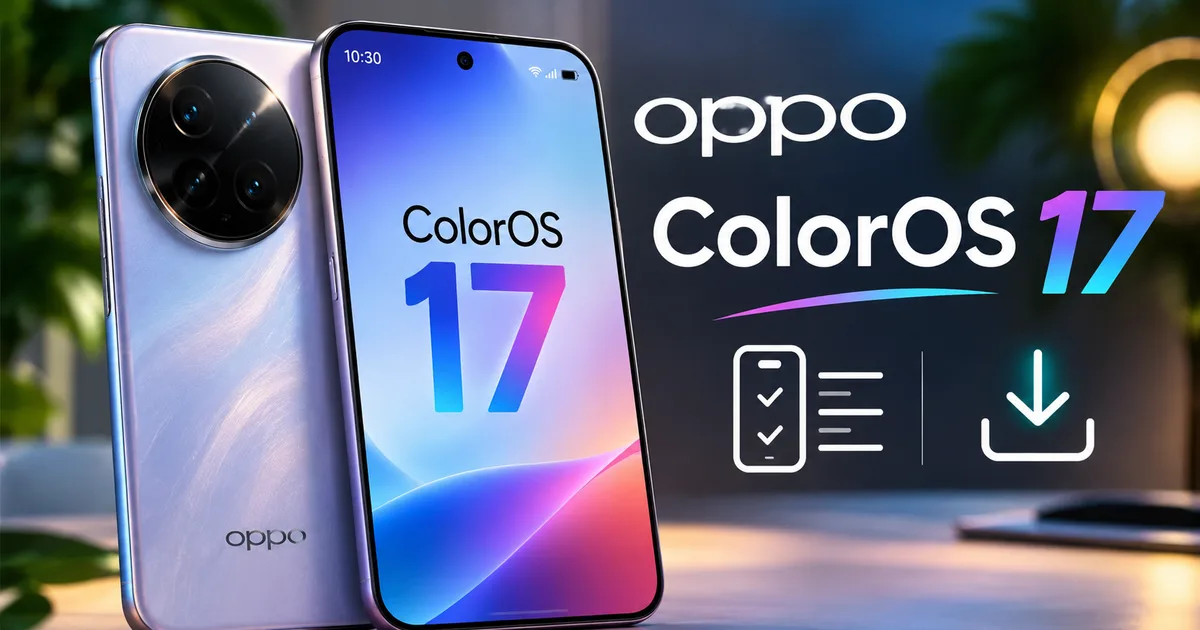
If you carry an Oppo phone in your pocket, check your notification shade today. Oppo has officially started rolling out its Android 17-based software package across India, and this Oppo ColorOS 17 update brings noticeable refinements to everyday use. In my experience tracking the phased rollout across several Oppo handsets, this upgrade feels far cleaner than the jump we saw last year. You get smoother screen transitions and revised quick settings tiles. And best of all, background battery management won't aggressively kill your messaging apps.
Here's the deal: major software rollouts in India can feel chaotic. Brands stagger OTA packages by IMEI batch and telecom circle. So if your friend in Mumbai on Airtel 5G got the ping this morning while your identical phone in Lucknow on Jio shows nothing, don't panic. That's completely normal (annoying, I know). Oppo spaces releases out over several weeks to catch unexpected bugs before they hit millions of phones.
Below, you'll find the confirmed device timetable for Indian users. I've also put together essential preparation steps so you don't lose WhatsApp chats or banking logins, along with an easy installation walkthrough.
ColorOS 17 eligible devices in India and their rollout dates
Oppo confirmed a date-wise November rollout plan for supported hardware. In previous years, brands kept Indian customers guessing with vague quarterly windows. Not this time. If you ask me, it's a relief that Oppo published explicit rollout dates covering their Reno lineup and foldables, plus their mid-range models.
According to rollout data reported by MyMobileIndia and 91Mobiles, here's the timeline for compatible Oppo phones across India:
- OPPO Find X8 and Find X8 Pro: Rolling out now (stable build initiated early November)
- OPPO Reno15 Pro Max, Reno15 Pro, Reno15 Pro Mini, and Reno15 5G: November 18
- OPPO Reno15c: November 19
- OPPO Reno15 F 5G: November 23
- OPPO Find N3, Find N3 Flip, Reno14 Pro 5G, Reno14 5G, and Reno14 F 5G: November 24
- OPPO K14 5G, K14x 5G, F33 5G, and F31 5G: November 25
- OPPO K13x 5G and F29 5G: November 26
You can also read our detailed ColorOS 17 features breakdown if you want a complete look at every interface tweak and battery improvement.
What about older budget models? If your handset is an older A-series phone or launched before 2024, you're waiting until early next year. I'm not sure why Oppo keeps budget users waiting so long, but they always push Reno and Find flagships first. F-series and K-series phones come next. Those are the models that dominate retail counters in India's tier-2 and tier-3 towns anyway.
The phased OTA approach protects users against sudden software bricking or battery drain glitches. Staggered releases let engineers pause the rollout immediately if an unforeseen network bug impacts Indian telecom bands.
If you also track competitors like Xiaomi or OnePlus, take a look at how other brands handle schedules in our breakdown of the Xiaomi HyperOS 4 rollout schedule across mid-range Indian hardware.
What changes with the ColorOS 17 system update
ColorOS 17 is built on Android 17, but you'll notice the big changes right on the screen. Oppo introduced what they call the Laminar Flow Engine. It's essentially their new animation system. Basically, apps open faster now, and jumping between background tasks doesn't stutter even when you're juggling heavy shopping and payment apps at the same time.
The control center now has a frosted glass look with subtle highlights around active toggles like Wi-Fi and Bluetooth. Honestly, older ColorOS versions felt bloated with pushy prompts (which always drove me crazy). ColorOS 17 cuts that mess out. I think it's the cleanest software Oppo has shipped so far. System menus look unified, and fonts are much easier to read under direct Indian sunlight. Plus, animations actually follow your finger instead of lagging.
You also get practical privacy tools. The permission manager now flags apps that try to snoop on your clipboard in the background or constantly pull your location (which makes sense, actually). For more details on new system capabilities, check our ColorOS 17 AI tools guide across supported flagship handsets.
Before you update: four safety steps to avoid headaches
Look, updating your main phone without backing things up first is asking for trouble. In my experience, far too many people lose family photos or get locked out of their banking profiles after a botched installation. Spend ten quick minutes running through these checks before doing anything else.
- Back up your WhatsApp chats: Open WhatsApp, tap the three dots in the top right, go to Settings, then Chats, then Chat backup, and run a manual backup to Google Drive. Indian users send gigabytes of media weekly, so verify the upload finishes completely.
- Charge your battery above 60 percent: An OS upgrade rewrites critical partition files. If your phone runs out of juice midway through the installation, your handset could enter a boot loop, requiring a factory reset at an authorized Oppo service center.
- Clear 10 to 15 GB of internal storage: The installation file itself measures roughly 4.5 GB to 6 GB, but the system needs additional temporary room to unpack files and compile system caches. Delete unused media or offload heavy videos to cloud storage.
- Verify your UPI and banking apps: Note down your UPI IDs for PhonePe, Google Pay, and Paytm. Modern banking apps detect operating system changes as potential security events. While your accounts remain safe, you may need an SMS OTP to re-verify your device SIM card after the phone reboots.
It takes very little effort. Doing this protects your data and saves you a painful trip to the nearest service center.
How to install the ColorOS 17 update on your Oppo phone
Once your handset's rollout date arrives, grabbing the update is pretty straightforward. Easy, really. Just make sure you're on unlimited Wi-Fi or have plenty of daily data left on your Jio or Airtel 5G plan. If you ask me, home Wi-Fi is much safer here than risking a stalled mobile connection (especially if your local cell coverage drops during big downloads). You can find dozens of similar walkthroughs in our step-by-step tech guides section if you ever need help with other phone brands.
Here's how to pull down the update:
- Open the Settings application from your home screen or app drawer. You will see the standard settings menu listing Wi-Fi, Mobile Network, and Bluetooth at the top.
- Scroll down toward the bottom of the menu and tap System and update. On some earlier ColorOS versions, this option appears directly as About device.
- Look at the top of the About device screen. You will see a large rectangular card displaying the ColorOS version banner. Tap that banner directly.
- Your device will connect to Oppo servers and scan for available firmware. If the software is ready for your IMEI, you will see a screen showing ColorOS 17 with a changelog listing performance updates and an exact download file size, usually around 5.2 GB.
- Tap the blue Download and install button located at the bottom of the screen. The phone will begin fetching the installation archive. You will see a progress bar with remaining time and download speed.
- Once the download reaches 100 percent, the button changes to Restart now. Tap it. Your phone will reboot, show the Oppo logo with a progress circle, and spend roughly 10 to 15 minutes updating system partitions. Do not press the power button or touch the screen during this stage.
- When the process finishes, your lock screen will appear as usual. Unlock your handset, and the notification panel will confirm that your device has successfully updated to ColorOS 17.
What to do immediately after ColorOS 17 finishes installing
Your screen is back on, and your wallpaper is sitting right where you left it. But your phone is still working hard under the hood. During that first hour after a major Android bump, the OS quietly indexes your storage files and reorganizes internal caches.
Don't panic if your handset feels slightly warm or if the battery drops quicker than usual over the first 24 hours. It happens. The drain numbers here are a bit fuzzy while the system recalibrates, but that's completely normal. In my experience, battery life always takes a temporary hit before settling down after a couple of charge cycles. Leave the phone plugged into its SuperVOOC charger for around 30 minutes after updating so background optimization finishes without throttling the chip.
Next, jump into the Google Play Store, tap your profile icon, and update all your apps. Developers regularly push patches specifically tuned for Android 17. Running outdated app versions on a fresh OS is honestly the main reason phones crash right after an update.
Finally, open your go-to UPI apps like PhonePe and Google Pay. Test them out. Send ten rupees to a family member or scan a QR code at your local kirana store just to make sure fingerprint authentication and SIM binding still work properly. If an app asks for SMS verification, make sure your SIM pack has an active SMS balance to send that outgoing message.
Do a quick check on DigiLocker too. Make sure your Aadhaar card and driving license pull up without throwing a login error. Indian cybersecurity agencies like CERT-In recommend keeping phone software updated anyway, since security patches fix real vulnerabilities that older firmware leaves wide open.
If you want to track upcoming phone releases and firmware drops across India, check out latest Indian smartphone news for daily updates and real-world analysis.