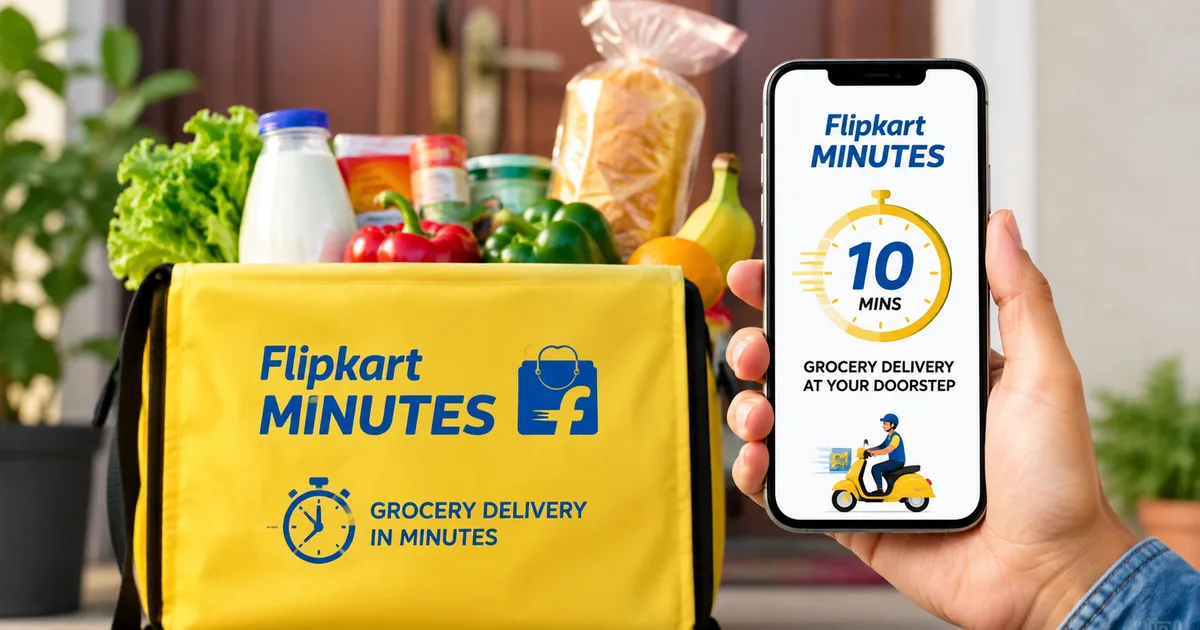
The quick commerce space in India is getting absurdly crowded. But Flipkart Minutes 2026 is actually pulling ahead in some interesting ways. I tried ordering a few things last weekend. The experience was smooth enough to make me rethink my usual Zepto habit. You probably already use Flipkart for electronics and clothes. Now they want to deliver your tomatoes and milk in ten minutes. And fashion apparel, too. And they're pushing hard into smaller towns, not just Delhi and Mumbai.
The scale is massive. They recently opened their 1,000th micro-fulfilment center in Gorakhpur, Uttar Pradesh. That's a big deal. Honestly, the smaller cities are seeing forty times the growth compared to the metros (which makes sense, actually). They're processing about 1.1 million to 1.2 million orders every single day. That puts them right up there with Swiggy Instamart and Amazon Now. Instamart has 1,143 stores in 129 cities right now. Amazon Now has 1,000 dark stores across 50 cities. Flipkart is directly challenging these numbers. I think they might actually pull it off.
The shift to a standalone app
Until recently, Minutes was just a tab inside the main Flipkart app. That was clunky. By July 2026, they started breaking it away into its own dedicated app. I know, sounds complicated to manage another app. But it isn't. Having a separate app makes it much faster to open and search. You don't get distracted by Big Billion Day smartphone sales when you just want some eggs.
If you read the latest tech news, you know this was inevitable. The competition is fierce. So Flipkart is matching the footprint of its rivals aggressively to stay in the race. They plan to add 800 more dark stores by the end of 2026. This physical expansion means faster deliveries for a larger chunk of the Indian population. The numbers here are a bit fuzzy, but the growth is real.
Preparing your phone for Flipkart Minutes
Before you can order anything, you need to set things up. You need an Indian mobile number. Basically, the service relies heavily on SMS OTP verification to keep accounts secure.
- Open the Google Play Store or Apple App Store. Search for Flipkart Minutes. If you cannot find the standalone app yet, just update your main Flipkart app. The Minutes section is right on the homepage, usually highlighted in a bright color.
- Install the app and open it. You will see a prompt asking for your phone number. Enter your ten-digit mobile number. Do not add the country code.
- You will receive an OTP via SMS. Enter it. If you already have a Flipkart account tied to this number, your details will sync automatically. Your saved addresses and payment methods will just appear, saving you a ton of typing.
- Allow location permissions. This is mandatory for quick commerce. The app needs your precise GPS location to route the delivery partner from the nearest dark store. If you deny this permission, you literally cannot place an order.
Step-by-step guide to ordering groceries
I'll walk through an actual order assuming you're buying some daily essentials. The interface is built to be fast. You shouldn't have to hunt for what you need. In my experience, it takes seconds.
- Set your exact delivery address. Do not just rely on the GPS pin. Type out your flat number, building name, and a clear landmark. The delivery riders have ten minutes. Do not make them call you to find your gate. Every minute counts for them.
- Browse the categories. The UI is split into clean, recognizable tiles. You will see Fresh Produce, Dairy, Snacks, and Household Items. Tap on Dairy if you need milk or paneer.
- Select your items. Tap the Add button next to a packet of Amul milk. The button turns into a counter where you can increase the quantity. You will notice a small cart icon at the bottom of the screen updating with your total amount in rupees.
- Check out the fashion section. Yes, clothes. On July 29, 2026, Forcas Studio launched its FTX fashion brand on Flipkart Minutes. You can actually get t-shirts and basic apparel delivered in twenty minutes. It sounds wild, but it works. I guess it helps when you spill coffee on your shirt right before a meeting.
- Tap the cart icon to review your order. The screen shows your items, the delivery fee, and the handling fee. The handling fee is typically around Rs. 4 to Rs. 5. The delivery fee is often waived for orders above Rs. 199, but this changes based on demand and weather.
- Proceed to payment. Tap the big yellow Continue to Pay button at the bottom of your screen.
Paying via UPI and checking out
Payment is where things can get stuck. Network issues are common. But Flipkart has optimized this quite well to prevent drop-offs. It's pretty seamless.
- Choose your payment method. The screen will list UPI, credit cards, debit cards, and Cash on Delivery. I strongly recommend using UPI. It is the fastest and has the lowest failure rate. Nobody wants to type a sixteen-digit card number when they are in a hurry.
- Select your preferred UPI app. You will see options like Google Pay, PhonePe, and Paytm. Tap your choice.
- The app will seamlessly switch to your UPI app. Enter your UPI PIN to authorize the transaction. For example, if your bill is Rs. 340, confirm the amount and approve it.
- Wait for the redirect. Once the payment is successful, do not close the app. Let it automatically take you back to the Flipkart Minutes screen.
- Order confirmed. You will see a success animation and a live tracking map. The countdown timer starts ticking immediately.
Just like setting up the JioHome App 2026, the initial setup takes a few minutes. But everyday use becomes effortless. Once your payment methods and addresses are saved, checking out takes literally five seconds. I'm not sure exactly why other apps struggle with this, but Flipkart nailed it.
Tracking your order and delivery
Once the order is placed, the app shows you exactly what is happening at the dark store. The transparency is honestly quite reassuring.
The screen updates in real time. First, it shows Packing your order. This usually takes two to three minutes. The dark store workers are literally running down aisles with baskets. Then the status changes to Rider assigned. You'll see the delivery partner's name and photo. And their vehicle details.
The map shows a tiny bike icon moving toward your location. I've noticed the ETA is fairly accurate. If it says eight minutes, it usually takes eight or nine. The riders are hustling. A recent Al Jazeera report mentioned how these tight deadlines affect riders. So I always try to be polite and quick at the door. I strongly suggest keeping your phone nearby so you don't miss their call. (Annoying, I know, but it helps.)
When the rider is near, you might get an automated phone call. Pick it up and confirm your location if needed. Collect your bags and check the items. It's always a good practice to quickly glance inside the bag while the rider is still there.
Handling missing items and refunds
Mistakes happen. Sometimes a packet of biscuits is missing. Sometimes the tomatoes are squashed. Dealing with this is straightforward. And it doesn't require you to call a helpline and wait on hold for twenty minutes. If you ask me, that's a huge relief.
Open the app and go to the My Orders section. Tap on your recent Flipkart Minutes order. Select Help with this order.
The chatbot will ask you to select the specific item that has an issue. Tap the item. Choose the reason, like Item missing or Damaged product. You might need to upload a photo of the damaged item. This proves to their system that the claim is genuine.
The refund process is heavily automated. Usually, the money goes straight back to your original payment method within a few hours. If you used UPI, it hits your bank account almost immediately. It's definitely less stressful than dealing with a complex portal. If you've ever struggled with booking train tickets online, you'll appreciate how simple this refund flow is. There is no human intervention required for small refund amounts.
Food delivery is coming next
Flipkart isn't stopping at groceries and fast fashion. Group CEO Kalyan Krishnamurthy recently confirmed that they are launching a food delivery service soon. This will happen over the coming weeks.
This means they'll compete directly with Zomato and Swiggy's food delivery arms. The plan is to integrate this into the same quick commerce network. You might soon order a hot pizza and a cold drink from a supermarket in the same cart. The exact launch dates are still vague. But the internal testing is already happening. I think combining grocery and restaurant food in one delivery fleet could reduce their overall costs significantly.
Why I think this service works for India
Look, we love convenience. But we also love value. Flipkart has massive buying power because of their parent company Walmart. They can negotiate better prices with brands than some of the smaller startups.
"Flipkart's quick-commerce venture is delivering 1.1 million to 1.2 million orders a day, nearly triple its November volume."
You see this in the discounts they offer on bulk items. Buying a five-kilo bag of rice on Minutes often works out cheaper than getting it from the local kirana store. The delivery fee structure is also quite aggressive right now. They really want to win market share.
The expansion into tier 2 and tier 3 cities is the real game changer. While everyone fought over Mumbai and Bengaluru, Flipkart quietly opened micro-fulfilment centers in places like Gorakhpur. People in these cities want ten-minute delivery just as much as anyone else. And clearly, the demand is there, given the forty times growth rate reported from smaller cities.
The app interface is clean. The dark store network is growing. They're processing over a million orders a day for a reason. And it shows.
How Flipkart Minutes compares to Zepto and Blinkit
It's hard not to compare. Blinkit has the highest number of dark stores right now, dominating the NCR region. Zepto is incredibly fast and has a very smooth app experience. So where does Flipkart fit in?
Honestly, Flipkart wins on product variety. Because they already have massive warehouses for their regular e-commerce business, they're slowly pushing larger items into the quick commerce network. You can order small electronics and mobile chargers. And basic appliances too. You can get them in under thirty minutes. The other apps struggle with this kind of inventory.
Blinkit charges a handling fee on every order, which adds up. Flipkart is currently absorbing a lot of these costs to acquire customers. For a middle-class Indian family ordering groceries three times a week, saving Rs. 15 on every order genuinely matters. That's a plate of momos at the end of the month.
And the integration with Flipkart SuperCoins is a neat trick. If you buy a lot of clothes or phones on Flipkart, you accumulate these coins. You can use them to get discounts on your milk and bread via Minutes. None of the other quick commerce players have a loyalty program that spans across such a massive retail ecosystem.
What to do if the app crashes
Technology fails. Sometimes the app will crash right when you're trying to pay.
- Do not panic. If the money left your bank account via UPI, it is safe.
- Open the app again. Go to your orders. If the order says Failed, the money will be refunded automatically by your bank within three to five business days. Usually, it happens within hours.
- Clear your app cache. Go to your phone settings, find the Flipkart app, and tap Clear Cache. This solves ninety percent of the weird glitches.
- Update the app. Quick commerce apps push updates weekly. If you are on an old version, the payment gateway often misbehaves.
Using quick commerce in 2026 is basically a necessity for busy professionals. Flipkart Minutes is aggressive and well-funded. They are expanding to cities that others ignored. The fact that they hit a thousand stores in just two years proves they're serious. Set up the app and link your UPI. Try it out the next time you run out of tea leaves. If you need more help with everyday apps, check out our other how-to tech guides.