You know the drill at Indian airports. You reach the departure gate and frantically search for your phone to show your ticket. Then you dig into your bag for your physical Aadhaar card or passport. You do this again at the security check. You do it a third time at the boarding gate. It is exhausting. But if you have flown domestically in India recently, you probably noticed people walking past these queues by simply looking at a camera. That system is DigiYatra. Now, the platform is expanding to flights abroad. If you are planning an overseas trip, you need to understand what is DigiYatra and how to use it for international travel in 2026.
The end of the paper boarding pass
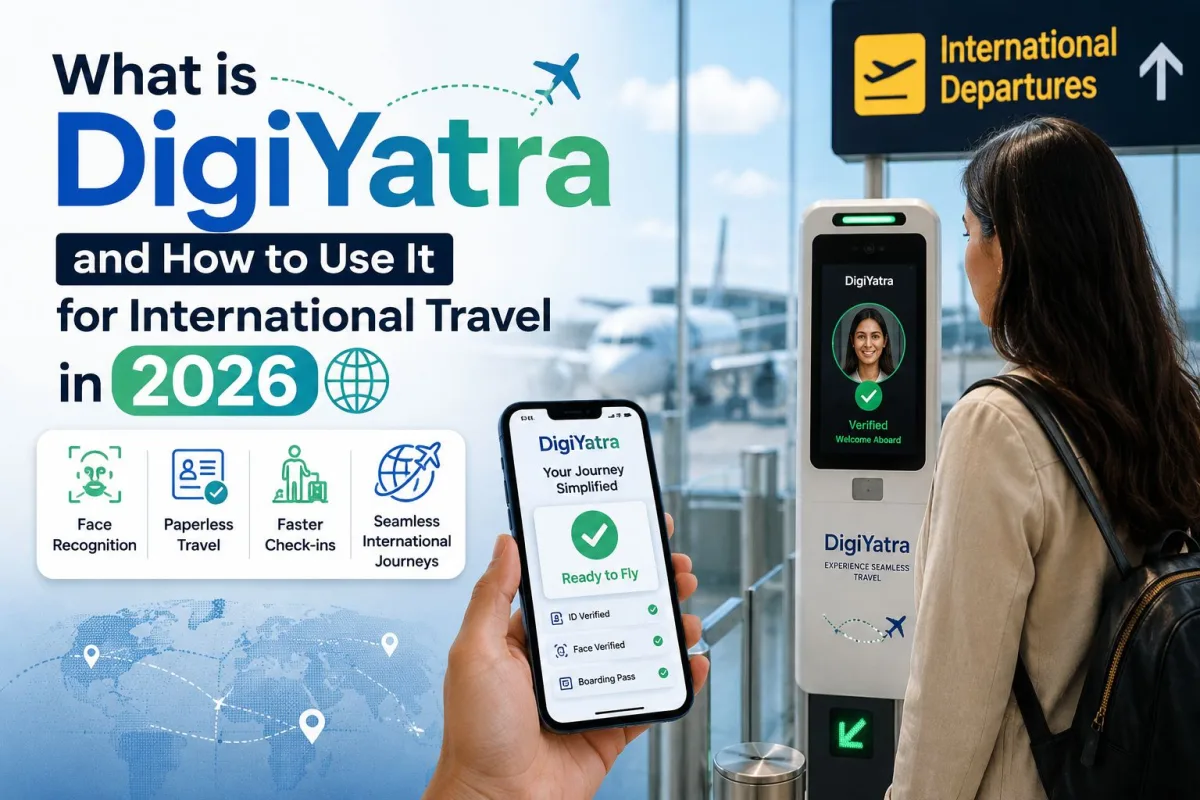
Before we look at the international rollout, we need to clarify what this technology actually is. DigiYatra is a biometric boarding system. It uses facial recognition technology to verify your identity. Instead of a CISF officer manually checking your ID against your face and your boarding pass, a camera does the job in a few seconds.
Many people assume DigiYatra is a government surveillance database. It is actually a decentralised digital identity platform. The system operates on a "privacy by design" principle. Your biometric data stays securely on your own smartphone. When you travel, you share this data with the specific airport for that specific day. The airport servers delete your face data 24 hours after your flight departs.
This system has grown massively. Official data from 2026 shows DigiYatra has scaled to 19 million users and processed over 77 million journeys across Indian airports. The government has set a target of 80 percent adoption among domestic flyers by 2028. But the biggest complaint until now was that you could only use it for domestic travel. International flyers still had to stand in massive queues for immigration, security, and boarding. That has finally changed.
The 2026 upgrade for international travel
Taking DigiYatra to international terminals is legally and technically complicated. Domestic travel only requires proving you are an Indian citizen with a valid ticket. International travel requires a passport, an airline verification of your destination country's visa requirements, and immigration clearance.
The Ministry of Civil Aviation solved this by integrating the DigiYatra app with India's e-passport infrastructure. Following successful trials at Bengaluru's Kempegowda International Airport, the system is now seeing a wider rollout for global routes. The core of this update relies on the small microchip embedded in modern Indian passports.
This chip holds your passport details and a secure digital photograph. The DigiYatra app now uses the NFC reader on your smartphone to scan this passport chip. This cryptographically proves that your passport is genuine. The app then asks you to take a selfie. It matches your live selfie with the photo stored inside the passport chip. Once matched, your phone becomes a verified travel document for international departures.
Step-by-step guide to using DigiYatra for international flights
Setting this up takes about five minutes. Do this at home while packing your bags. Do not wait until you are at the airport drop-off zone with poor internet reception.
Step 1: Get the correct app
Download the official DigiYatra app from the Google Play Store or Apple App Store. Ignore third-party apps that claim to help you skip airport lines. Open the app and register using your mobile number. You will receive an OTP to verify your device.
Step 2: Scan your e-passport
Go to the identity credentials section in the app. Choose the new "Passport" option instead of Aadhaar. The app will ask permission to use your phone's NFC reader. Place the back of your smartphone against the front cover of your passport. You might need to slowly move the phone around until it detects the chip. Hold it steady for a few seconds. The app will securely download your passport details directly from the chip.
Step 3: Click your verification selfie
The app will ask you to capture a live photo of your face. Stand in a well-lit room. Remove your glasses and any hats. Look straight at the camera. The app will compare this fresh photo with the digital photo extracted from your passport. Once matched, your identity is saved locally on your phone.
Step 4: Add your international boarding pass
When you check in online for your flight, the airline will email you a boarding pass with a barcode. Upload this PDF or screenshot directly into the DigiYatra app. The app reads the barcode, identifies your flight details, and packages this data with your facial biometric template.
Step 5: Share data with the airport
Tap the "Share" button in the app. This sends your encrypted travel package to the departure airport's secure servers. You must do this before you leave for the airport.
What happens when you reach the airport?
Your airport experience changes completely once you have set this up. When you arrive at the international departure terminal, look for the dedicated DigiYatra e-gates. Walk up to the gate and look at the camera. The system recognises your face, matches it with the data you shared from home, and opens the glass doors. You do not need to show your passport or phone to the guard.
You will drop your check-in luggage at the airline counter. You then proceed to immigration. The integration of DigiYatra with immigration systems speeds up the initial verification, though an immigration officer may still need to stamp your passport depending on your destination.
You use the facial recognition cameras again at the pre-embarkation security check and finally at the boarding gate. You keep your passport safely zipped in your bag for almost the entire process. This is much like the new GNSS toll collection systems on highways, where the infrastructure reads your vehicle details seamlessly without you stopping to pay cash.
Which Indian airports support this?
The rollout is happening in phases. Bengaluru airport led the initial trials and has the most mature infrastructure for international biometric boarding. Delhi and Mumbai have also integrated the hardware at their international terminals.
A major development in 2026 is the opening of the Navi Mumbai International Airport. This brand-new facility digitally participated in the national DigiYatra rollout from day one. Because it is a greenfield airport built with modern infrastructure, it features extensive biometric checkpoints across both domestic and international wings without the legacy constraints of older terminals.
Addressing the big privacy fears
Many Indian users are deeply uncomfortable scanning their faces to board a plane. This skepticism is healthy. We frequently cover issues like Aadhaar fingerprint cloning scams, so questioning biometric security is the right approach.
DigiYatra is structurally different from centralized databases. The central DigiYatra foundation does not keep a permanent file of your face, your passport, and your travel history. Your data lives on your device. The shared travel token sits on the specific airport's local server for a maximum of 24 hours. Once your flight takes off, the airport system purges your record.
The system is also voluntary. Nobody is forcing you to use it. If you prefer holding physical documents and speaking to officers, you can simply use the regular queues. The regular queues will just move slower.
The frustrating parts of using DigiYatra
I have used this system extensively and it is not flawless. The biggest anxiety factor is your phone battery. If your phone dies before you share your data package with the airport, the e-gates will not open for you. You have to join the regular queue.
The NFC passport scanning can also be incredibly temperamental. Different smartphones have NFC sensors in different locations. Sometimes you have to rub your phone all over the passport booklet for two minutes before it registers the chip. This is highly frustrating for senior citizens who might already find the app interface confusing.
Finally, there are occasional backend server glitches. You might upload your boarding pass, but the app throws a network error. When this happens, you have no choice but to travel the traditional way. It is highly recommended to always carry your physical passport and a printed or downloaded boarding pass as a backup. Treat the biometric system as an add-on convenience, not an absolute replacement for your documents.
Final thoughts
The expansion of DigiYatra to international travel fixes the most tedious part of flying abroad. Standing in line for an hour just to show an officer a piece of paper is a waste of time. By linking the e-passport microchip to your smartphone, the process becomes significantly faster. Set up the app the night before your flight, make sure your phone is charged, and walk past the crowds at the terminal.